Cancel Online
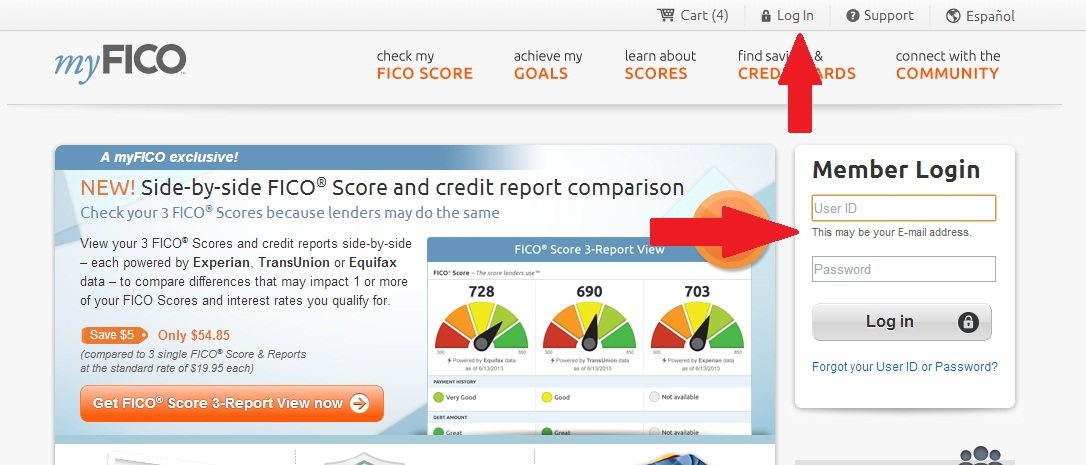
- Sign into the myFICO.com members area. There is link in the top toolbar of every page that says “Log In”, the home page also has a large “Member Login” option.
- Click “My subscriptions” in right sidebar, it’s found under “Account settings”.

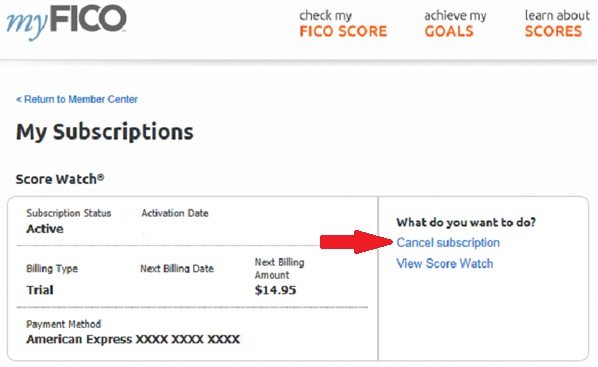
- Scroll to the subscription you want to cancel and click “Cancel subscription” which is found under “What do you want to do”.
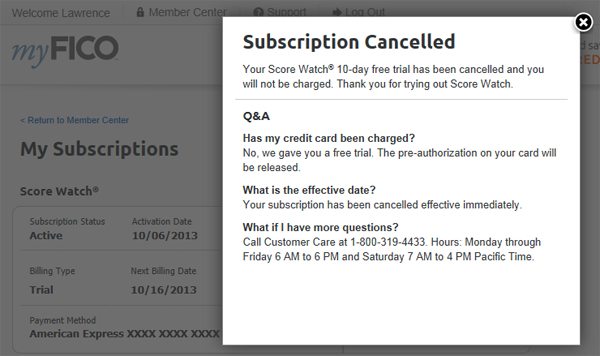
- Receive cancellation confirmation
Cancel By Phone
- Call 188-577-5978 from 6AM to 6PM (Pacific Time), or Saturday 7AM To 4AM
- Inform them you’d like to cancel your Score Watch or Quarterly Monitoring program.
- Give the operator the requested information
- Request a confirmation number
When cancelling by phone, the operator may try to get you to not cancel by offering a special rate or extended trial period. If you decide to accept these terms, make sure they send out a copy of these by mail. Do not feel pressured into keeping your account if you want to cancel. It’s also a good idea to check what myFICO promo codes are available before you accept a discount over the phone, as they may be better than those offered.



No comments have been published yet.