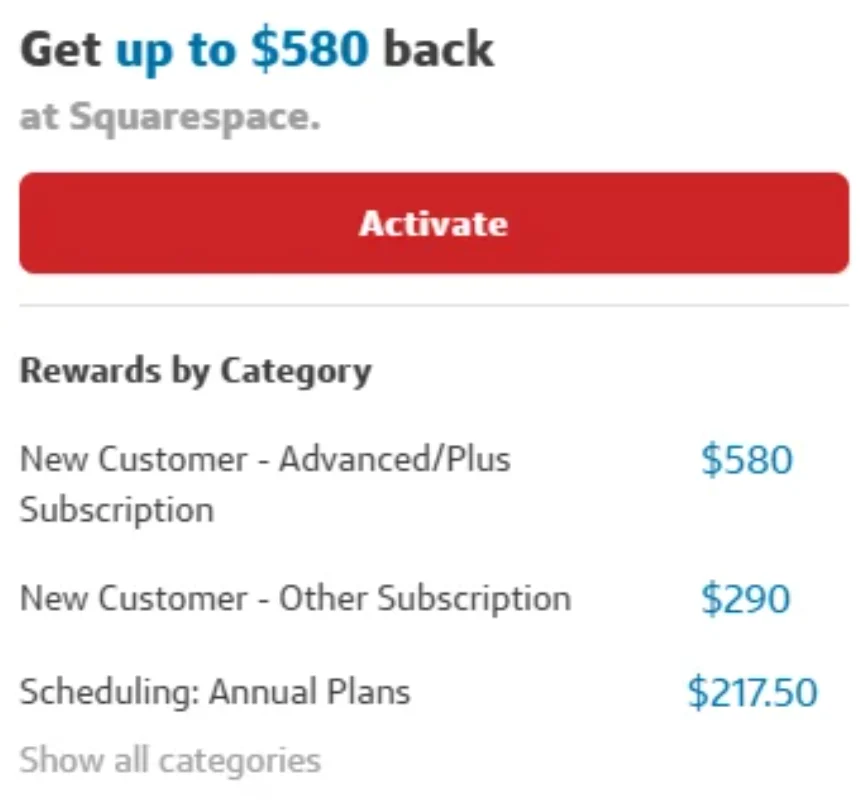
Update 9/10/26: A reader did the Plus monthly subscription and got the full $600 cashback from Capital One Shopping. This technique keeps you under the $150 reimbursed by AmEx, but still can get you the full $600/$580/$380 for the Plus plan on Squarespace. This way might also be better since you don’t need to use the promo code which can be safer for portal tracking.
The Offer
Capital One Shopping offers $20 back when signing up for Squarespace. You’ll do better with the TCB $50 offering. However, if you poke around, you should be able to get an elevated email offer from Capital One Shopping:
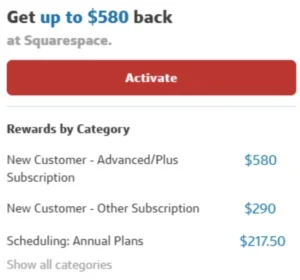
- Get $300 to sign up for Squarespace. Others got a lower amount of $190 or $290.
- You can get double that ($600/$580/$380) for the more expensive Squarespace plans.
- Use code W8F50 on Squarespace to get 50% off any plan.
- AmEx Business Gold offers $150 statement credit for Squarespace purchases each calendar year. Activation is required in the AmEx login (direct enrollment link).
- Some people also have an AmEx Offer for $30 back after $150 spend or $10 back after $50 spend.
Our Verdict
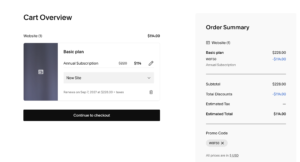
The basic Squarespace plan is $228 which turns into $114 after the 50% discount. You’ll get that all back from the AmEx Business Gold (if activated), and then you’ll pocket the $190-$300 from the portal.
Some people might opt to do the Plus plan which is $298 after the promo code. In this scenario you’re paying $148 out of pocket (after getting $150 back from AmEx) with the hopes of getting more from the portal. Even if you have the $600 offer, a lot of people will just opt to do the $300 moneymaker with zero risk instead of the $600 moneymaker with $148 of risk. If you have the $190/$380 offer version, it makes little sense to pay $148 with the hopes of getting an extra $190.
Regardless, this looks like an easy win with no risk. I got myself targeted today for the $190 offer by poking around yesterday. I’m going to wait another day to see if I get the better $300 offer, otherwise I’ll just be happy with the $190 version.
As always, keep in mind that Capital One Shopping portal does not require having a Capital One card or bank account. Also remember that the rewards are not cash but rather they cash out as gift cards for various brands.
If you’re new to Capital One Shopping, signup via referral link to get $80. Here is our referral sharing thread and here is my own referral link (thanks!).
Hat tip to reader Kiwi




Not sure I understand the question?
I’m currently seeing zero capital one shopping offers for Squarespace, just me?
I by mistake activated the $19 cashback offer. Will I still get the better offers or there is anyway to opt out from the $19 cashback offer so I will be able to get the higher offers
So you have a $200 payment pending and you were expecting less or more?
I tried to do this too but then my pending payment is 200.10? I saw the 174 subtotal + $2 taxes. Now I can’t find a receipt anwhere.
Same here, no luck
I have usually not had an issue clicking through a site and get the Capital One increased offer but I have had no luck getting this one sent to me. Any tips? I tried through the app and through 2 different browsers.
Signed up for a month of Plus yesterday and I’m already tracking as ineligible.
Same for me. Tracked as a % cashback offer, rather than a set amount.
Can I cancel the subscription, or does it require to still be active when I contact customer service after 30 days?
Does code W8F50 on Squarespace to get 50% off any plan, invalidate any capital one shopping portal deal? anyone tried and sees their offer tracking?
I got the same $50 offer as well. I am just hoping if I ignore the $50 offer, they will send a much better one soon in a day or two.
ugh, i really need this deal and was able to start a new website. The offers I was getting through the app and the web page yesterday were abysmal. Today I got an email for Squarespace but it was only for $50 off. Any ideas on how I can trigger this high $600 offer I actually could use it.
yes i subscribed at 50% off
I have had many issues like this with capital one shopping in the past. Once the 30 day post purchase window has passed, send them email complaints for a full reimbursement with screenshots of the email offer you purchased through. They are quite helpful
😂
Keep in mind that Capital One Shopping doesn’t give cashback, just gift cards. So you’re basically getting some cards for around 30% the price. Not bad, but not a direct moneymaker.
I purchased plus subscription for $32.50 through targeted $600 email offer, It’s tracked but shows shopping reward is $3.53…What the heck?
Did you use the promo code for 50% off? I’m wondering if this impacts tracking.
Did the C1S terms for the offer specify annual subscription required or how many months are needed of active subscription? I’m wondering if once a flood of people do these, they mark all these as ineligible. Did you use the promo code for 50% off? I’m wondering if this impacts tracking.
so do I understand this right? Once you get elevated C1S offer, you can buy the plus monthly subscription for $65*0.50=$32.50 You don’t have to do anything with the service at all. You just wait for C1S to payout. Has the potential to be a $568.50 MM? Or maybe a little less if you need to keep the subscription active for 2 months. Hard to believe this could work.
Mine tracked at 600$ for monthly subscription! In less than 24hrs
dont come to chase bank tomorrow.
Chuck i think this is spam, goes to a dating site or something
same.
Wow, I’ll add a note
Went with Plus monthly sub. Tracked at $600
Purchased Monday. Has not tracked yet
Mine tracked in <24 hours, but it tracked at only the 10% initial offer and not the up to $400 email offer I clicked through on (and was showing when I signed up). Will probably have to fight it when it posts and hope for the best. Also, it’s worth noting that a monthly plan should be eligible, so should be able to do Plus monthly to get the higher payout instead of paying for the annual plan.
Mine isn’t tracking either. I wonder if it is because the checkout took me to my new website’s page (xxx-xxx-xxx.squarespace com) instead of directly checking out via squarespace com? I couldn’t find anywhere to directly checkout though.