
Deal has ended, view more bank account bonuses by clicking here.
Update 8/3/26: Back to $500 and valid until 8/31. Has non transferable language. Hat tip to reader snailrock
Update 5/21/26: Back down to $300.
Update 5/6/26: Bonus increased to $500 from $300. Hat tip to reader Super Pirate formerly SP
extended to 7/31
Offer at a glance
- Maximum bonus amount: $300
- Availability: Unknown, states not eligible will not be able to proceed. Might be CO, FL, ID, KS, MO, NM, TX, UT and WY? Below worked and didn’t work are just to make the account for dashboard, not necessarily approved
- Worked: NE,
- Didn’t work:
- Direct deposit required: None
- Additional requirements: See below
- Hard/soft pull: Unknown
- ChexSystems: Unknown, sensitive
- Credit card funding: Unknown
- Monthly fees: None
- Early account termination fee: Unknown
- Household limit: None listed
- Expiration date: April 30, 2026
The Offer
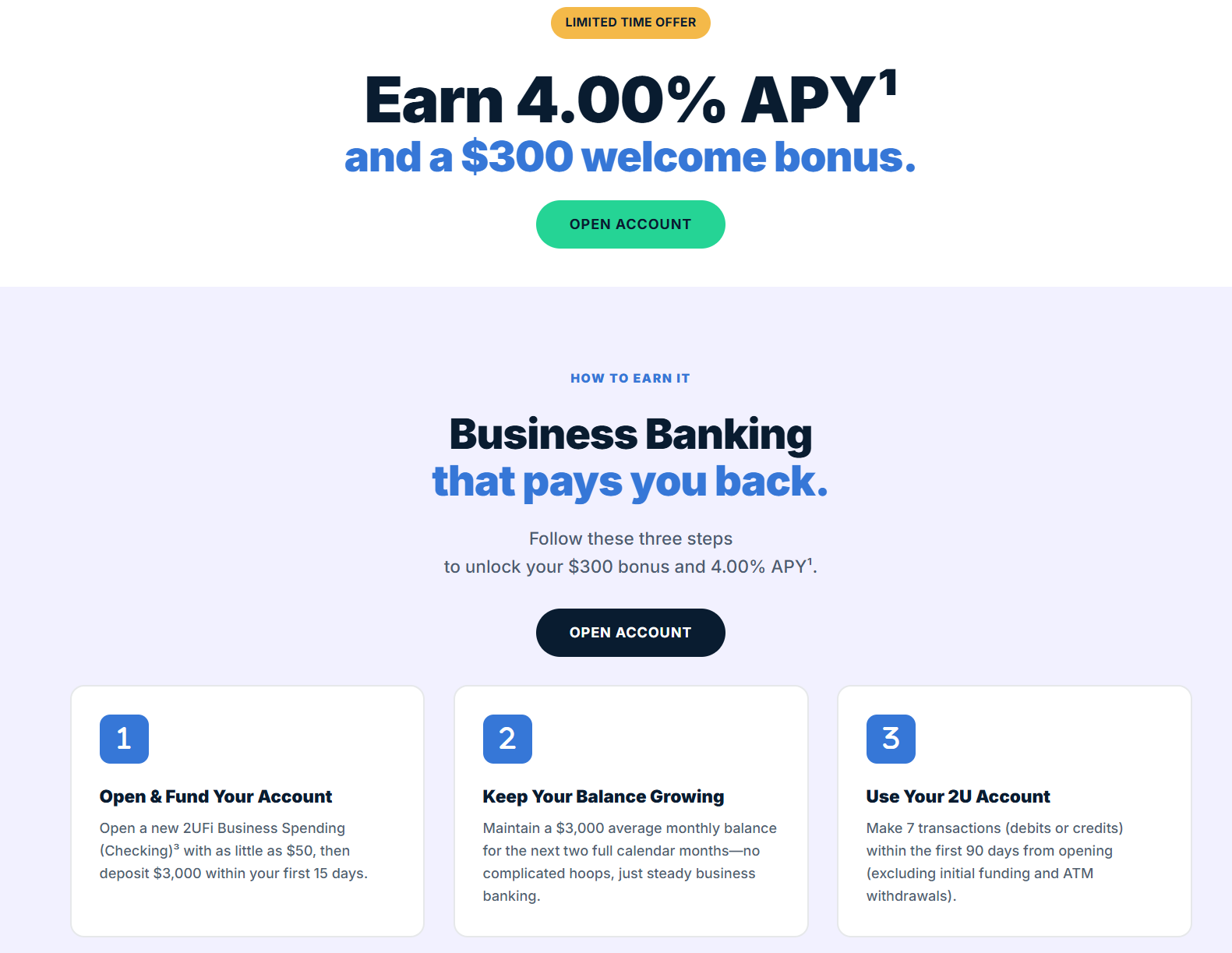
- 2UFI is offering a $300 business checking bonus when you complete the following requirements:
- Open account with $50+
- Maintain an average $3,000+ balance for next two full calendar months
- Make 7 transactions (debit or credits) within 90 days of account opening (excluding initial deposit and ATM withdrawals)
The Fine Print
- Bonus offer requirements: To receive the $300 bonus, your new eligible 2UFi Business Spending account must be opened with a minimum opening deposit of $50. Total deposits to the new account must reach $3,000 within 15 days of opening. A $3,000 monthly average balance must then be maintained during each of the two full calendar months immediately following the 15 day funding period. In addition, you must complete 7 debit card purchase transactions (excluding ATM withdrawals) within the first 90 days of account opening. If all requirements are met, the $300 bonus will be deposited into your account within 14 business days.
- Additional requirements & information: Offer available only to new 2UFi business deposit clients who have not held a 2UFi or affiliated brand business checking account within the past 12 months. Limit one offer per business entity. Account must be open and in good standing at the time the promotional bonus is paid. Bonus may be reported as interest or miscellaneous income on IRS Form 1099; client is responsible for any applicable taxes. Offer is non transferable and may not be combined with other checking promotions. Employees of 2UFi and affiliated entities, and their immediate family members, are not eligible.
- Account details: Standard account terms, fees, and conditions apply. Monthly average balance information is available on your statements. Debit card transactions must post and settle to qualify. All accounts are subject to approval.
- Offer availability: Offer ends April 30, 2026. All promotional bonuses are contingent on meeting all qualifying requirements.
- All bank account bonuses are treated as income/interest and as such you have to pay taxes on them
Avoiding Fees
Monthly Fees
This account has no monthly fees
Early Account Termination Fee
I wasn’t able to find a fee schedule, so unsure if there is any EATF or not.
Our Verdict
Bonus itself seems good, difficult to know how easy it is to get approved with not knowing what states are accepted. Share your data points in the comments below.
Hat tip to reader Super Pirate formerly SP
Useful posts regarding bank bonuses:
- A Beginners Guide To Bank Account Bonuses
- Bank Account Quick Reference Table (Spreadsheet) (very useful for sorting bonuses by different parameters)
- PSA: Don’t Call The Bank
- Introduction To ChexSystems
- Banks & Credit Unions That Are ChexSystems Inquiry Sensitive
- What Banks & Credit Unions Do/Don’t Pull ChexSystems?
- How To Use Our Direct Deposit Page For Bank Bonuses Page
- Common Bank Bonus Misconceptions + Why You Should Give Them A Go
- How Many Bank Accounts Can I Safely Open Within A Year For Bank Bonus Purposes?
- Affiliate Links & Bank Bonuses – We Won’t Be Using Them
- Complete List Of Ways To Close Bank Accounts At Each Bank
- Banks That Allow/Don’t Allow Out Of State Checking Applications
- Bank Bonus Posting Times






Nice. I’ll do that for a couple transactions. I like to show a variety so it looks more legit.
Fintech, add debit, pull $1 (7x), done.
Any suggestions for the 7 transactions? Are we all just buying bananas?
Compared to other fintechs their UX is awful.
Mine were only on hold for a few days and one of their pages said the funds might be held up to 7 business days for accounts under 30 days old.Here it is: https://2unifi.kustomer.help/en_us/funds-availability-policy-HJzeFMxZJx With these, it should be everything they show you when signing up: https://2unifi.kustomer.help/en_us/2ufi-business-suite-deposit-account-agreement-HJauz1bJg https://2unifi.kustomer.help/en_us/business-suite-rate-fee-schedule-SJvODMxW1l
Does anyone have the full list of terms saved anywhere and mind sharing? Also, my deposits have been on hold for more than two weeks, lol. I haven’t even been able to order a debit card. This is rough.
I’m from Maryland and I got in
I’d love to hear thoughts, feelings, insights, analysis etc. about 2UFi in terms of it being a fintech, its processes and connection to an FDIC bank (which appears to have a similar name “2Unifi Bank”), along the lines of the discussions taking place on some of the other fintech pages. Please share.
William Charles – DEAD
They won’t approve you if Chex is frozen. I decided to take the hit and was approved today. I think it’s worth it for a $500 bonus and only $3k held for 60 days. Works out to 100% APY. They also never asked for any documents for my LLC. I only uploaded my DL. I do have a website.
LLC in CO, “Unable to offer you an account at this time” (Personal Chex Frozen)
Glad to hear this. In my case, the deposit was also on hold for about a week, but the comment above was a week after it had actually posted/cleared and was reflected in the balance. I was finally able to select the “From” account and make a transfer today (not sure what changed). No errors today either, so fingers crossed those were all aberrations.
Maybe your deposits are on hold. My funding and 3k deposit were put on hold for 4-5 days. I could see the deposit transactions but the available balance was 0. The balance updated after the holds were removed and then I was able to process transfers. I’ve been doing transfers all week to meet the transaction requirement, and I experienced errors today too. But it cleared up after an hour or so.
Approved as sole prop (with EIN) in Colorado. Chex: 0/1, 1/3, 2/24. They asked for Business Formation Document, State Registration Document, and Business Address Verification. I uploaded the document when I got my EIN, a note about how my state doesn’t require registration, and the front of a bank statement. I got a call the next morning, very brief, asking about the nature of my business and if I had a website, which I don’t. The rep said it could be a day or two but I got the approval email after a few hours.
Y’all the interface is scary glitchy. I keep getting errors on the app and website when trying to setup a passkey, make a transfer, and sometimes just navigating between pages. Hint: the $ on the Botton right opens the transfer menu (had to look that up). Unable to make a transfer because I can’t select this account as the “From” account. It’s visible, but greyed out and says $0.00 even though there’s been $3000 in there for over a week. Don’t feel good at all about have $3k in there at the moment. 😬
You remind me of Rita from “Dexter”
Approved as SP in NY. Did not have articles of incorporation or proof of registration, just address verification was sufficient. Rep said that only state on the top of his mind that does not qualify is NM
Thanks for the update. Is ATM card is mandatory?
Opened from Michigan! Heard mi wasn’t included but I got in
Sorry for the delay in replying Shail . From the left menu My financials > Select By Bank > Click Down arrow to view accounts > click the … menu to select Details on the spending account . Then scroll down and click Manage my cards.
Be the DP you want to see. Concur that the application could use some work. I got the review message and Chex alert immediately after submitting. Few hours later, got a phone call (844 toll-free area code) to confirm business details and the business suite account was then opened.
yes, you can open an acct from GA
*UPDATE – I did receive an email saying I was declined due to Chex – which is frozen – so maybe if I unfreeze and reapply I will have a different outcome. I still don’t know how to find out if my state, Georgia, is included. Declined with chex frozen, and no explanation. The process is so dysfunctional, what an awful platform. Never found the infamous dropdown menu to see if my state is included.
What exact area you can request this ATM card? I could not find it!
I am a SP in Illinois. I was denied a week or two ago with Chex frozen. I applied again last week with Chex unfrozen and was approved.
Alan H Got it, thank you for your reply!
They sent me a link to use to upload more information. The link was broken and completely unusable (I tried it more than once and on different days). I decided life was too short to deal with these clowns, and moved on to the next deal.
Jaime You have to request the debit card through the app / portal, it will cost you $4. I was able to request before my funds arrived to get it on the way, the acct went to -$4 for a day but then was positive again when my funds arrived. I was able to get approved without a call by just uploading my P&L and rules about businesses in my state. Also sole prop in MA.
Alan H What ended up happening to the application, if I may ask?
Maryland is not listed in the dropdown. Unfortunate.